
15 Best AI Tools in 2026 to Work Smarter
Compare 15 of the best AI tools in 2026 for research, writing, coding, design, automation, meetings and everyday business productivity.

AI tools are no longer difficult to find. The difficult part is working out which ones are genuinely useful.
A search for AI software can quickly lead to dozens of chatbots, writing assistants, automation platforms and creative tools that appear to solve the same problems. In practice, they don't. Some are better for research, others make more sense inside an existing business workflow, and a few are valuable mainly for specialist tasks.
This guide narrows the field to 15 of the best AI tools in 2026 for real work. The focus is on practical value rather than hype: what each tool is useful for, who should consider it and where its limitations matter.
You certainly don't need all 15.
For most people, the smarter approach is to find two or three tools that remove recurring friction from the work they already do.
Quick Picks
If you want the short version, ChatGPT is one of the most flexible options for general work, Claude is particularly useful for detailed knowledge work and long documents, Perplexity is built around web research with citations, and Gemini makes sense for people who already work heavily with Google's ecosystem.
For more specialised needs, Zapier is aimed at workflow automation, GitHub Copilot at software development, Canva at visual content, Gamma at presentations, ElevenLabs at voice generation and Otter at meeting notes.
The important distinction is not which product has the longest feature list. It is whether the tool fits the way you actually work.
AI Tools at a Glance
How We Chose These AI Tools.
This selection focuses on practical usefulness, accessibility, workflow value, quality of output, versatility and relevance in 2026.
We also deliberately avoided filling the article with several products that perform essentially the same task. A useful AI tools list should help someone make a decision, not simply give them more software to investigate.
Current product capabilities were checked against official product pages and documentation where possible. Features and plan availability can change, so businesses should confirm important requirements directly with the provider before buying.
15 Best AI Tools in 2026.
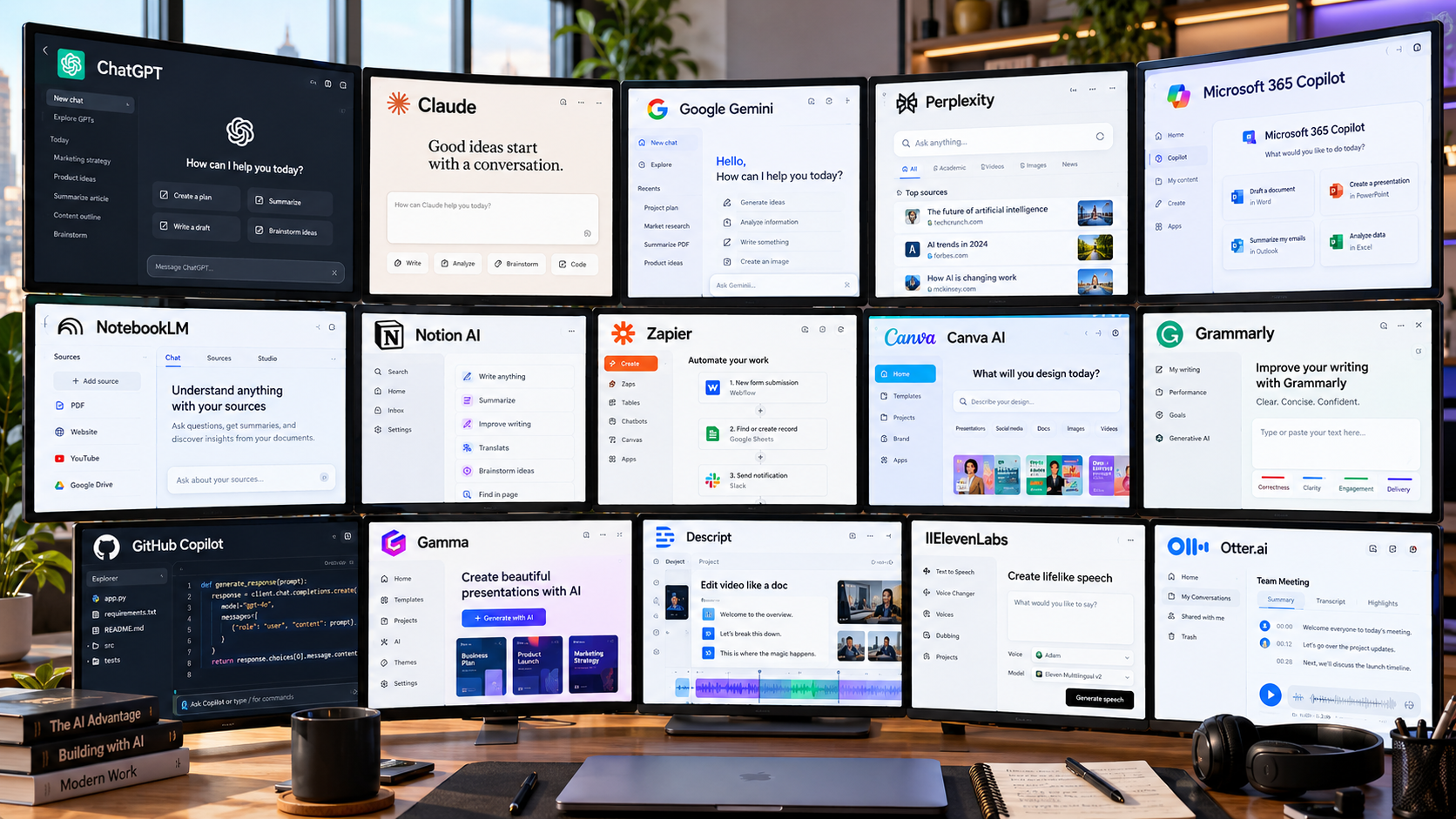
1. ChatGPT
Best for: General-purpose work and problem-solving
ChatGPT remains one of the broadest AI assistants available. It can help with writing, brainstorming, summarising files, analysing data, researching information, coding and working with images, making it useful when you don't want a separate tool for every small task. OpenAI also offers web search, deep research and other specialised capabilities within ChatGPT.
Its versatility is the main attraction. A consultant might use it to structure a proposal in the morning and analyse a spreadsheet later the same day. The trade-off is that broad capability doesn't remove the need for verification, particularly when accuracy or current information matters.
2. Claude
Best for: Detailed analysis, writing and complex knowledge work
Claude is well suited to work that involves reasoning through a substantial amount of information, refining written material or working across technical and business tasks. Anthropic has continued expanding Claude's ability to use tools and work more independently across multi-step tasks.
Writers, analysts, developers and strategy teams are likely to get the most from it. Its thoughtful style can be useful for complicated material, although users should resist treating polished language as proof that every conclusion is correct.
3. Google Gemini
Best for: AI work connected to Google's ecosystem
Gemini becomes particularly interesting when your work already lives around Google Search, Gmail, Drive and Docs. Its Deep Research feature can use Google Search and, where enabled, selected Google services and uploaded files as sources.
That makes it useful for people who want research and everyday AI assistance without constantly moving information between platforms. Google offers different capability levels depending on account and subscription, so availability should be checked before choosing a plan.
4. Perplexity
Best for: Fast, source-backed web research
Perplexity is less about having a long conversation and more about finding answers on the web with visible citations. Its search product works from a live web index and lets readers inspect the sources behind an answer.
That makes it particularly useful for early-stage market research, competitor research, statistics discovery and background reading.
There is one habit worth keeping: click the citations. An AI-generated summary can help you find information quickly, but the original source remains the place to verify anything important.
5. Microsoft Copilot.
Best for: AI assistance inside Microsoft Copilot.
For organisations already centred on Microsoft's workplace software, Microsoft Copilot has an obvious advantage: it is designed to work within that environment rather than act as an isolated chatbot.
Microsoft continues to position Copilot around connected workplace tasks and existing Microsoft Copilot permissions and controls.
Its value therefore depends heavily on your existing setup. A business living in Microsoft Copilot may find it far more useful than a freelancer whose workflow happens elsewhere.
6. NotebookLM
Best for: Researching material you already trust
NotebookLM solves a slightly different problem from a normal chatbot. Instead of beginning with the entire web, you give it the sources you want to work from.
Google says NotebookLM grounds its responses in supplied sources and provides citations back to that material. It can also turn source collections into formats such as audio, slides, infographics and video overviews.
That makes it especially useful for students, researchers, journalists and professionals working through reports, interviews, policies or internal documents.
7. Notion AI
Best for: Knowledge management inside a shared workspace
Notion AI becomes useful when projects, notes, tasks and internal knowledge already live in Notion. It can work with information in the workspace and search connected sources, reducing the need to repeatedly copy context into another AI tool.
For an established Notion team, that context can matter more than having another general chatbot. If you barely use Notion, however, there is less reason to adopt the AI layer purely for its own sake.
8. Zapier
Best for: Automating repetitive business processes
Zapier is most useful when the problem isn't writing something but moving work between systems.
A business might automate a workflow so a new enquiry is recorded, classified, assigned and followed by a notification without someone manually repeating each step.Zapier now combines its app automation platform with AI-assisted workflow building, AI-powered steps and agent-based automation.
The caution is simple: automation multiplies whatever process you give it. Fix the process first, then automate it.
9. Canva AI
Best for: Everyday visual content and marketing assets
Canva has moved far beyond basic templates. Its current AI tools support conversational design, generative content and editable visual creation within Canva's wider design environment.
It is particularly practical for small businesses, marketers and creators who need presentations, social graphics or campaign assets without a full professional design workflow.
AI can accelerate the first draft, but brand quality still depends on human choices around typography, imagery, spacing and consistency.
10. Grammarly
Best for: Polishing professional communication
Grammarly is still most useful when writing itself is the workflow. Beyond grammar correction, its current AI features include rewriting, drafting, tone assistance and specialised writing agents.
For emails, proposals, reports and client communication, that narrower focus can be an advantage.
Use it as an editor rather than an automatic replacement for your own voice. Accepting every rewrite can make otherwise distinctive writing sound unnecessarily generic.
11. GitHub Copilot
Best for: AI-assisted software development
GitHub Copilot now works across more of the development cycle than code completion alone. Developers can use it in supported editors, GitHub and the command line, with agent-style tools available for more involved tasks.
It can be particularly helpful for boilerplate, code explanation, unfamiliar repositories and repetitive development work.
The important limitation hasn't changed: generated code belongs in the same review, testing and security process as code written by a person.
12. Gamma
Best for: Creating presentations quickly
Gamma is useful when you have information but don't want to spend the next two hours arranging it into slides.
It can generate a presentation from a prompt, format existing text or import material and restructure it. Its slides remain editable, so the result can be refined rather than treated as a finished one-click design.
Founders, sales teams, teachers and consultants may find it particularly convenient. The first version is best treated as a starting point, especially for important client-facing decks.
13. Descript
Best for: Editing podcasts and video through text
Descript makes media editing feel closer to editing a document. Its text-based workflow lets users work from a transcript, while its AI co-editor can assist with scripts and edits.
That approach is useful for interviews, podcasts, educational videos and talking-head content where spoken words drive most of the edit.
Specialist editors may still prefer more traditional software for complicated visual work, but Descript can remove a great deal of friction from routine content production.
14. ElevenLabs
Best for: AI-generated speech and narration
ElevenLabs focuses heavily on synthetic voice and text-to-speech. Its current tools support multiple voice models and multilingual speech for applications ranging from narration to software products.
Creators can use it for voiceovers, while developers can integrate speech through its API.
The technology also creates responsibilities. Before cloning or publishing a recognisable voice, make sure you have appropriate permission and understand the relevant platform and legal requirements.
15. Otter.ai
Best for: Meeting transcripts, summaries and follow-up
Otter is designed for people who spend enough time in meetings that taking notes becomes a job in itself.
Its Notetaker can join supported Zoom, Google Meet and Microsoft Teams meetings to record and transcribe conversations, with features for summaries and AI-assisted review.
That can be useful for consultants, managers and distributed teams. Just make recording consent and company privacy rules part of the workflow rather than an afterthought.
Best Free AI Tools.
You don't necessarily need a paid subscription to start experimenting.
As of September 2026, useful free or no-cost access is available in products including ChatGPT, Claude, Gemini, Perplexity, Canva, Grammarly, GitHub Copilot, Gamma and Otter. The amount of AI usage and the features included differ significantly between providers and can change over time.
A free plan is usually enough to answer one useful question: does this tool actually improve your workflow?
Test it on real tasks before paying.
Best AI Tools for Business.
Businesses should think in terms of workflows rather than collecting subscriptions.
For research, Perplexity and NotebookLM approach information from different directions: one starts with the web, while the other works from selected source material.
For communication and drafting, ChatGPT, Claude and Grammarly can cover a large portion of day-to-day writing needs. Canva supports visual communication, while Zapier is more relevant when the goal is moving data or actions between systems.
Microsoft Copilot and Notion AI make the strongest case when a company already uses the surrounding platform.
A small company rarely needs every category. It needs the smallest combination that removes meaningful manual work.
Best AI Tools for Productivity.
The easiest way to choose an AI productivity tool is to identify where time repeatedly disappears.
If you spend hours searching for information, start with a research tool. If every meeting produces another hour of administration, consider a meeting assistant. If your team repeatedly copies data between apps, automation may have more value than another chatbot.
The best productivity improvement is usually attached to a specific repeated task.
“Use more AI” is not a workflow.
Which AI Tools Do You Actually Need?
A freelancer might get enough value from a general assistant, Grammarly and Canva. A small marketing team could combine a research tool with Canva and an automation platform. Developers may prefer a general assistant alongside GitHub Copilot, while a research-heavy role may benefit more from Perplexity, NotebookLM and Claude.
There is no prize for maintaining the largest AI stack.
Every additional product creates another subscription, another set of permissions and another place where company information may live.
How to Choose the Right AI Tool.
Start with the task, not the product.
Write down one recurring activity you want to improve. Then compare tools using the quality of their output, how naturally they fit your existing software, the amount of setup required and what is included without upgrading.
Privacy deserves equal weight. Before uploading customer information, contracts, financial records, unpublished work or internal company documents, check the provider's current data controls and your organisation's own policy.
Finally, watch for overlap. If three subscriptions all rewrite emails, summarise documents and answer general questions, you may be paying three times to solve essentially the same problem.
AI Privacy and Security Deserve Attention.
AI tools can save time, but convenience should not override basic information security.
Businesses should know what staff are allowed to upload, which accounts are approved for work, how information is stored and what controls exist for team or enterprise use. Requirements will differ between a university student writing notes and a company handling confidential client data.
Meeting assistants deserve particular care because recording laws and consent requirements can vary by location.
Treat AI access in the same way you would any other cloud software handling company information.
Final Thoughts
There is no single AI tool that is best at everything.
The best AI tools are the ones that solve a clear problem without making the rest of your workflow more complicated. ChatGPT, Claude and Gemini offer broad capability; Perplexity and NotebookLM take more focused approaches to research; Zapier handles automation; and specialist platforms such as GitHub Copilot, Canva, Descript and ElevenLabs make more sense for particular types of work.
Start with one problem and one tool.
If it consistently saves time or improves the quality of your work, keep it. If it doesn't, move on.
That is a much better strategy than paying for every new AI product that appears.
Frequently Asked Questions
What are the best AI tools in 2026?
Useful options include ChatGPT, Claude, Google Gemini, Perplexity, Microsoft 365 Copilot, NotebookLM, Zapier, Canva, GitHub Copilot and several specialist tools. The best option depends on whether you need research, writing, automation, coding, design or another specific workflow.
What are the best free AI tools?
Several major platforms offer some form of free access, including ChatGPT, Claude, Gemini, Perplexity, Canva, Grammarly, GitHub Copilot, Gamma and Otter. Features and usage allowances vary, so check the provider's current plan before relying on a particular feature.
Which AI tools are best for business?
For many small and medium-sized businesses, the most useful categories are general AI assistance, research, writing, visual content, automation and internal knowledge management. The right combination depends on the software the business already uses.
How do I choose an AI tool for work?
Choose one recurring task first. Test the tool on real examples, check output quality, privacy controls and integrations, and compare the paid plan only after the free or trial experience proves useful.
Reader Reaction
Was this article useful?
0 readers like this article.
Share This Article
Found this story useful? Share it with your network.
Comments
0 discussionsAdd your perspective, reply to other readers, and keep the conversation useful.
Conversation
Reader responses